● The Best Soccer Substitution App

Manage your team Track playing time Subs made easy

Game Time is the dead-simple soccer coach app — track playing time and substitutions live, schedule your season, and share it all with parents. No clutter, no learning curve.

Download on the App Store
Android Coming Soon
Or open the web app →
Free for coaches · Now on iPhone · Android coming soon
Easy
Set up
1 tap
To sub a player
0
Cluttered menus
All
Games tracked
Features · On the Field

Built for game day.
Simple on purpose.

Other trackers are often over-complicated, clunky, and distracting during the game. Ours is simple — so you can focus on coaching, not your phone.

00:00
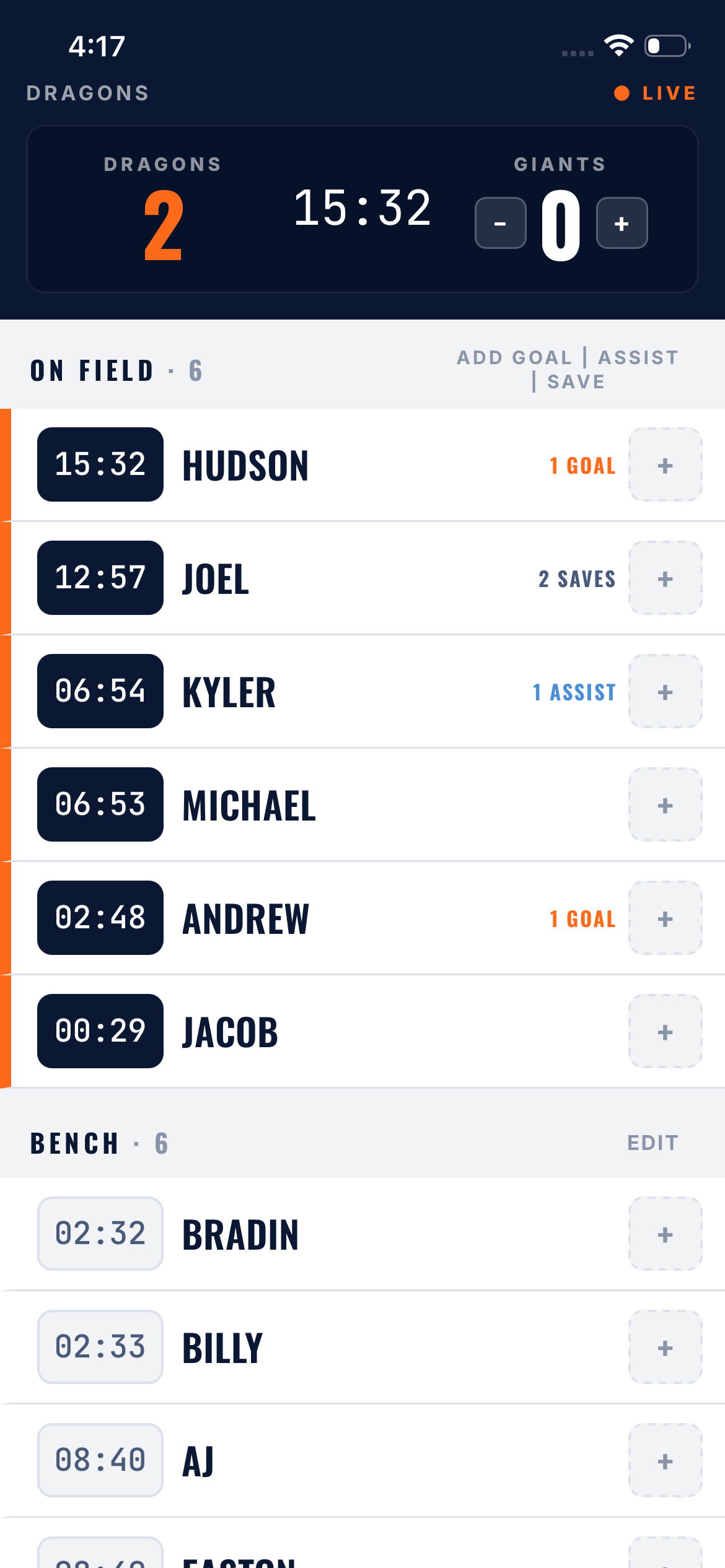

Live playtime tracking
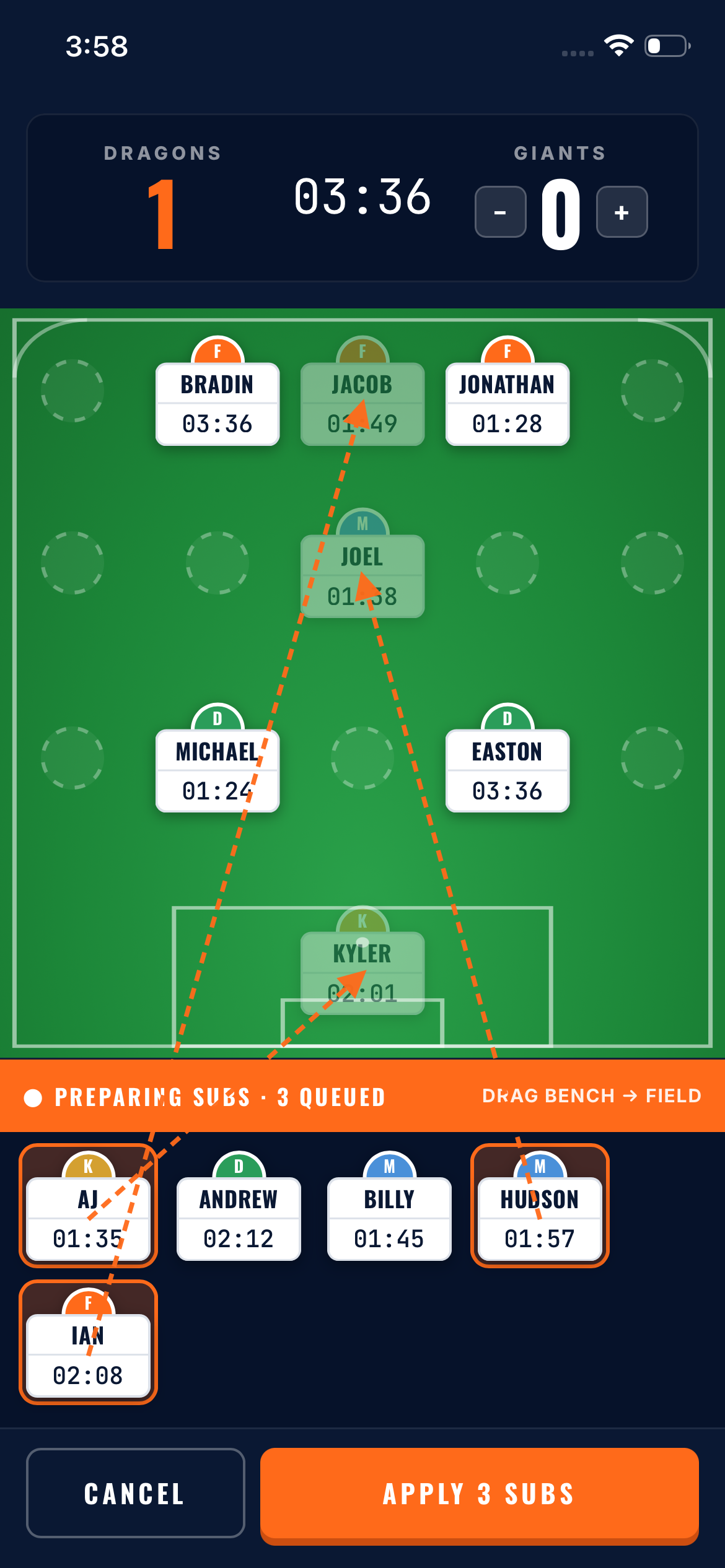
Tap a player to sub them on or off. Their clock starts the instant they hit the field.
01
14:22
Equal time, fair subs
See exact minutes for every player. Spot benchwarmers and rotate before parents notice.
02
⚽×2
Goals, assists & saves
One tap to credit a goal, assist, or save. Built-in scoreboard tracks both teams in real time.
03
W·D·L
Full game history
Every game saved automatically. Final score, scorers, and minutes per player — forever.
04
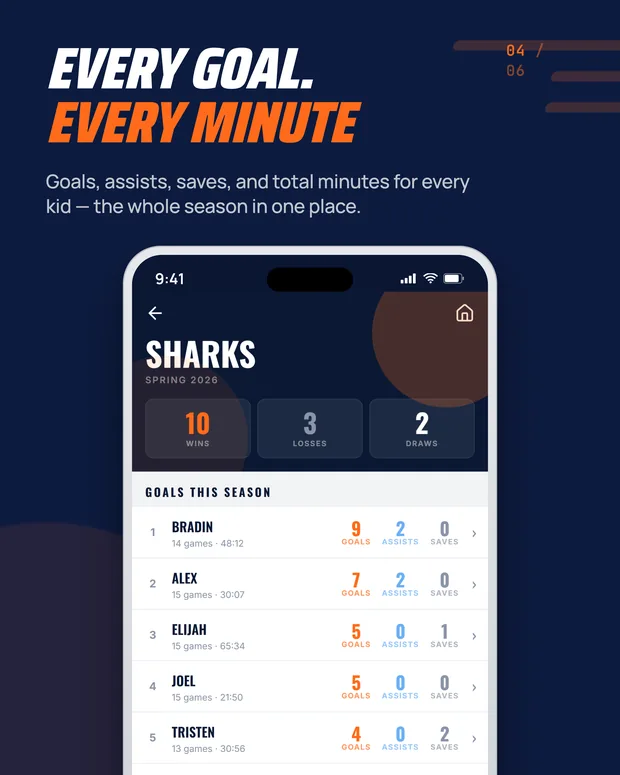
Season totals & leaderboards
Top scorers and total minutes across the entire season. Great for end-of-season awards.
05
Playtime calculator
Plan rotations before kickoff. Plug in roster size and game length, get a fair plan instantly.
06
📅
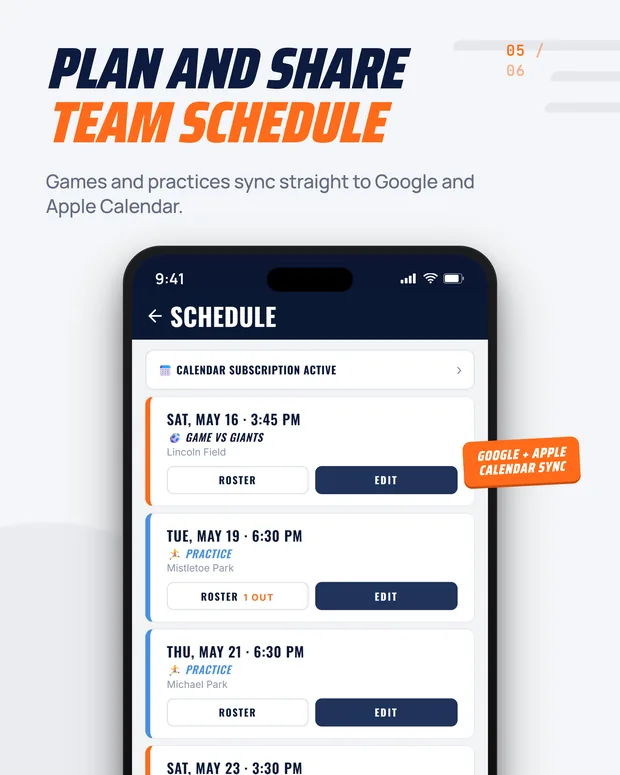
Game scheduling
Set your season's games with date, time, opponent, and location. Parents can subscribe to the calendar feed.
07
Multi-team support
Coach more than one team? Run every roster, schedule, and season from a single account.
08
For Parents · Off the Field

Keep parents
in the loop.


Every team gets its own shareable page. Parents follow live games, check the schedule, and see season stats — without you fielding a single group text.

🔗
Public team page
One link shares your whole team. Add an optional password to keep it to your families.
01
● LIVE
Live game broadcast
Parents who can't make it follow the score, clock, and goals in real time as you coach.
02
📆
Schedule & calendar
Upcoming games show right on the team page — and parents can subscribe to the calendar feed.
03
📣
Team info & announcements
Post field directions, snack schedules, or a quick note — parents and fans see it instantly.
04
How It Works · 60 Seconds to Kickoff

Open. Tap. Coach.

01
Add your roster
Type in player names. That's it. Add jersey numbers if you want — or don't. Takes under a minute.
02
Set up game day

Mark anyone absent. Pick your starting lineup. The bench is ready and waiting.
03
Tap to sub
Bench a tired kid, send in fresh legs. Their clock updates the instant you tap. No math required.
04
Tap to score
Goal? Hit + on the scorer. Home score bumps up. Two taps total. Keep your eyes on the field.
FAQ · Before the Whistle

Quick answers.

Is Game Time free?+
The core tracker — roster, live game, goals, history, and season totals — is free for one team. Game Time Pro unlocks unlimited teams, unlimited scheduling, your full game history, and the live broadcast for parents. You can start coaching for free with no credit card.
Can parents follow along?+
Yes. Every team gets its own shareable page where parents can watch live games in real time, check the upcoming schedule, and see season stats. You control what's shown, and you can lock it behind a password so it stays with your families.
Can I track more than one team?+
Yes. Create as many teams as you want. Each gets its own roster, game history, and season totals.
What ages and levels is this for?+
Built specifically for U-anything rec and youth soccer where coaches care about fair playing time. Works equally well for serious club teams that just want a clean, fast tracker.
Will my data stay if I switch phones?+
Sign in once and your teams, rosters, and full game history follow you to any device — phone, tablet, or laptop.
What if the game crashes or I close the app?+
Game Time saves your game state automatically every half-second. If you close the app or hit the back button by accident, reopen it and you'll see a "Resume Game" button right on the home screen — exactly where you left off.
● Ready · Kickoff in 60 Seconds

Coach your next game
with Game Time.

Free to start. No credit card required.

Download on the App Store
Android Coming Soon
Or open the web app →